

Built for modern general practice
The Phonebar helps you keep up with demand by making every interaction easier to manage, from first contact through to follow-up.
- See who’s calling and access patient details instantly
- Contact patients in one click — call, SMS, start a video consultation or send a photo request
- Manage appointments and send updates without swapping systems
- Seamlessly link all communications to the patient record with clinical system integration
Seamless access
Whether your team is at the front desk, working across a hub, or at home, the Phonebar adapts to their environment and individual needs:
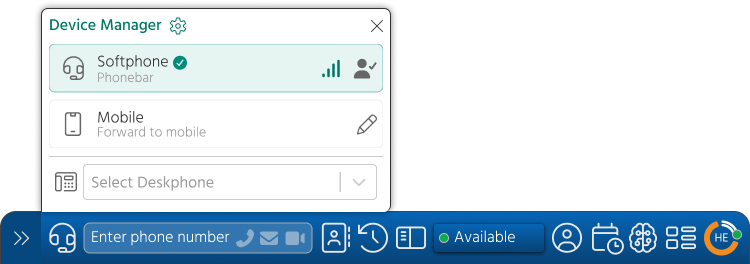
- Easy device management: Effortlessly switch between the Phonebar, your mobile or a desk phone in seconds while retaining your number and setup
- Real time team visibility: Instantly see colleague availability to support communication
- Quick access directories: Reach the right person, department or organisation easily through integrated directories
- Flexible workspace: Move, expand, or minimise the Phonebar anywhere on your desktop to suit your workflow
Work more efficiently
Empower your team with total visibility before the call even begins. Practice Managers can easily configure the Phonebar to give staff a complete overview of the patient journey, reducing navigation time and enabling more personalised, high-value interactions from the very first second.
- Intelligent call ‘Whispers’: Staff hear a brief automated prompt when answering a call to instantly identify exactly how the call was directed to them
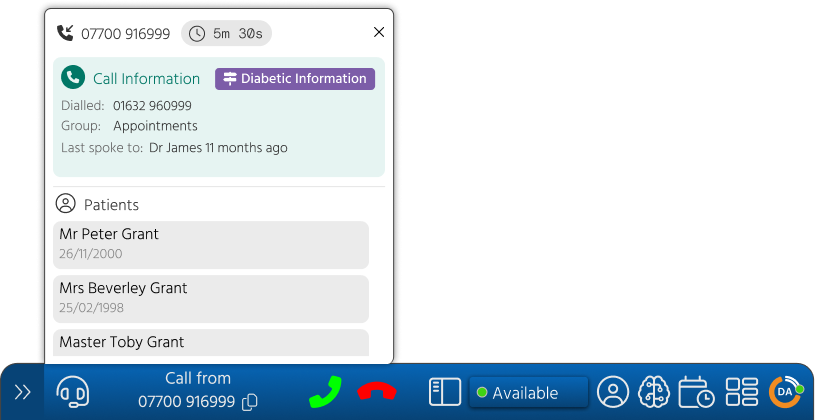
- Comprehensive Patient Popups: Before picking up, see who is calling, their wait time, who they last spoke to, and the specific route they took to reach the user
- Personalised Call Routing: Automatically direct patients to the most appropriate resource based on their specific needs or priority status. This ensures they reach the right person the first time, resulting in shorter wait times, faster access to relevant teams, and a more informed patient experience
By knowing the patient’s context upfront, staff can focus entirely on the conversation rather than searching for information.
Support clinicians
Designed to give GPs and clinicians more time with patients and less time navigating software, the Phonebar integrates directly into your workflow.
Active Patient
Quick access to all communication types when you have a patient open in your clinical system. Select from the numbers stored in the patient record or free type an alternative number.

The Appointments Window
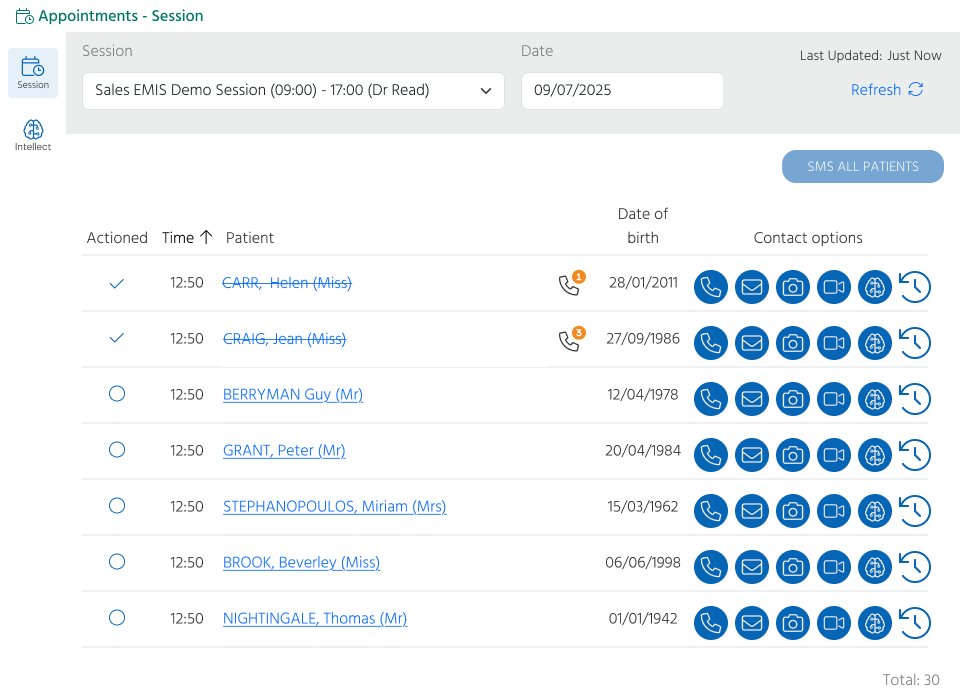
Stay focused on care by managing your daily list without leaving your workflow. The Appointments Window transforms your session list into an interactive dashboard.
- Instant visibility: Access your full appointment list directly from the Phonebar to see exactly who is next in your queue
- One-click actions: Call, message, start a video consultation or request a photo in seconds directly from the list, removing the need to search for contact details manually
- Proactive communication: Send bulk messages to your entire session list instantly to keep patients informed of clinic delays or unexpected changes, reducing frustration and inbound enquiries
- Seamless Workflow: Take action and move through your session without ever leaving your primary screen, keeping your clinical system and communications perfectly synced
Bring AVT into your workflow
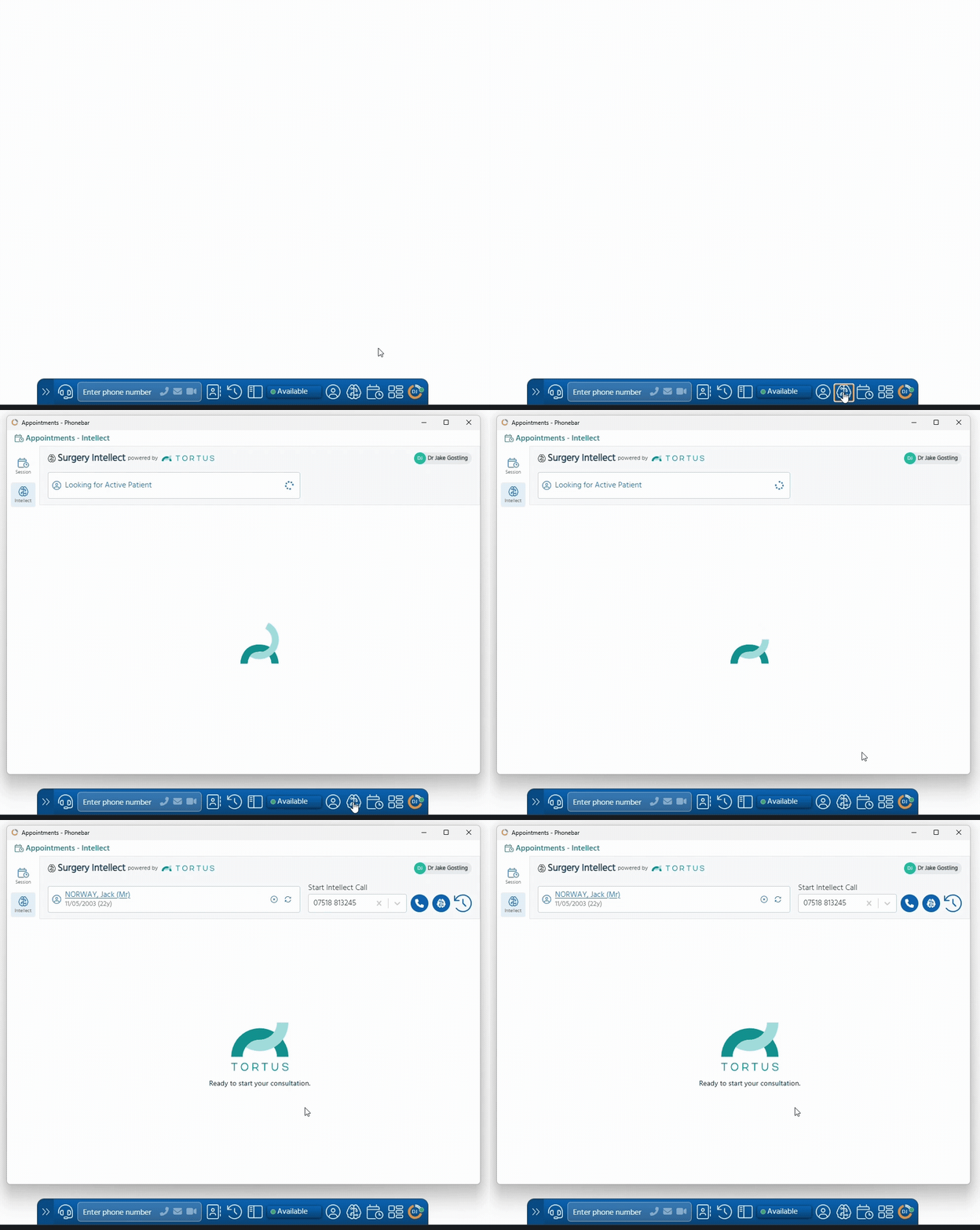
Launch Surgery Intellect, powered by TORTUS directly from the Phonebar to listen, transcribe and code conversations as they happen, over the phone and face-to-face, helping reduce admin, cognitive load and improve documentation quality.
Related Academy courses:
Communicate faster
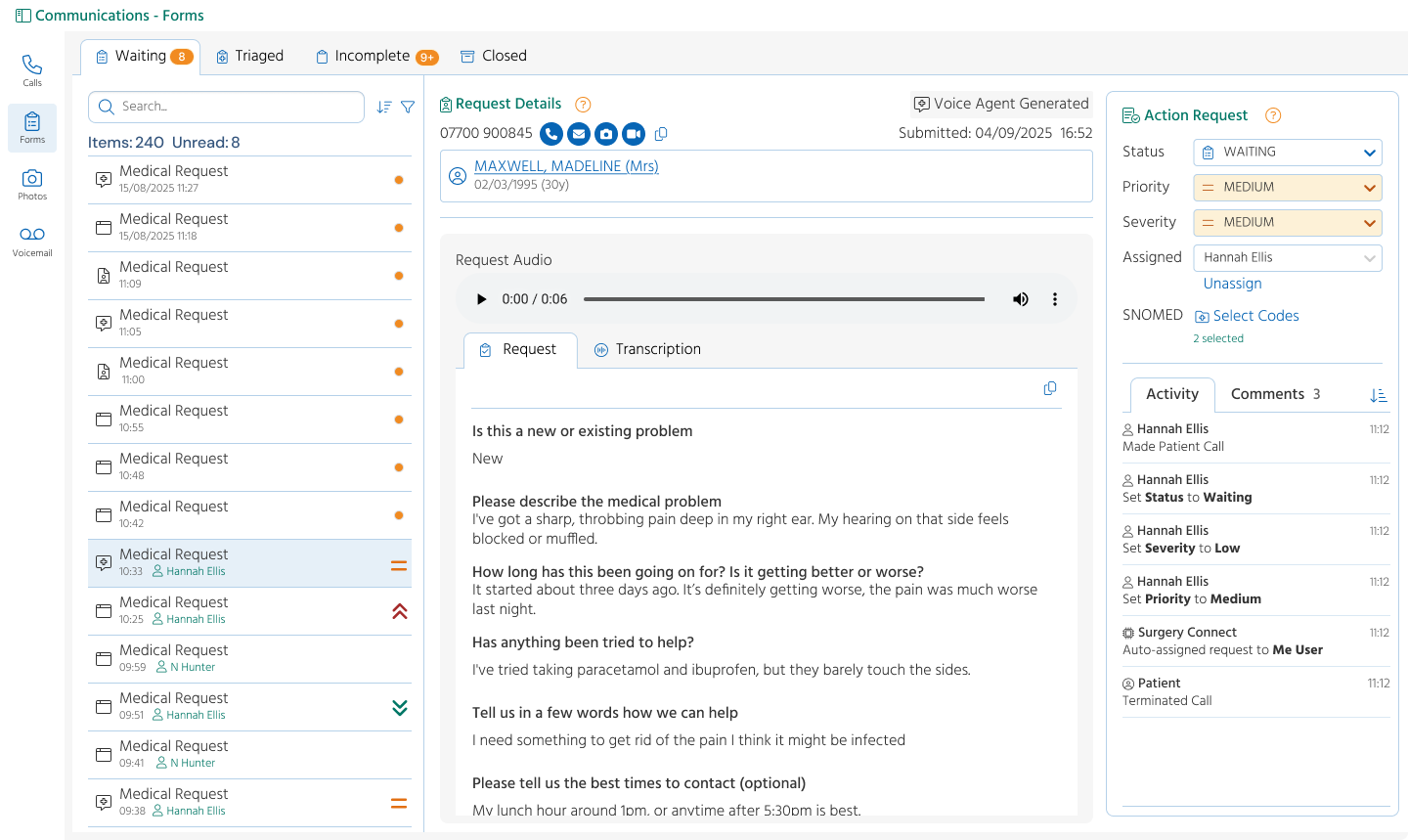
The Communications Window is a centralised information hub, allowing you to quickly and easily track all your calls, manage medical requests, photo requests and voicemail messages (including transcriptions) from one place, without switching systems.
All call information, plus the opportunity to access and listen to call recordings or view transcribed consultations, is available from this window. Easily follow up with the patient via one click access to all of the communication methods.
Empower management
For Practice Managers and Supervisors, the Phonebar provides the oversight needed to manage high-pressure periods and support staff development.
It’s easy to swap between consoles to manage the day effectively:
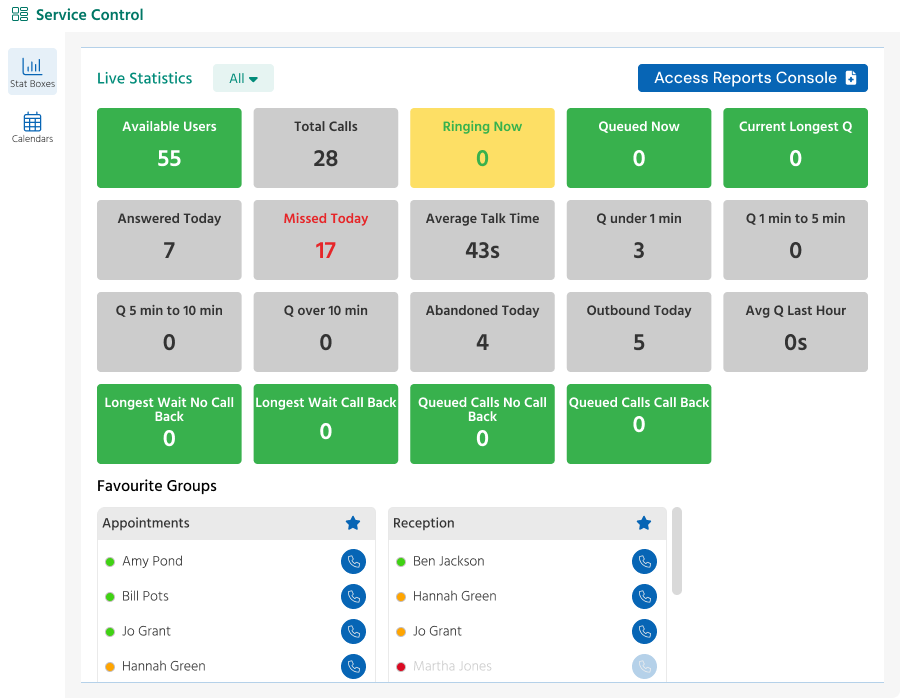
- Live statistics: Access real-time Stat Boxes directly from the Phonebar to manage patient flow during peak times
- Quality and support: Support your team with the ability to silent monitor calls directly from the Phonebar, ensuring consistent service, staff development and providing a safety net for staff
- Auto Step in: Use this to add additional members to Groups answering calls when certain parameters are met. This means that the number of Users available to take calls for that Group can be increased automatically when they are needed, and once the queue has gone down, they will be automatically removed from the Group
Get started in minutes
The Phonebar is simple to set up and easy to tailor to your teams specific needs.
For detailed, step-by-step guides,
To build confidence with the fundamentals of the Phonebar and get the most from your telephony system,